Views
Components are the basic building blocks of a Smile experiment. However, components can play different roles. In Smile, each major phase of an experiment is associated with its own special component called a "View". (We will refer to Views using a capital 'V' to distinguish them from ordinary uses of the word "view."). Other packages might refer to View elements as "pages", "routes", "sections", "parts", or "phases."
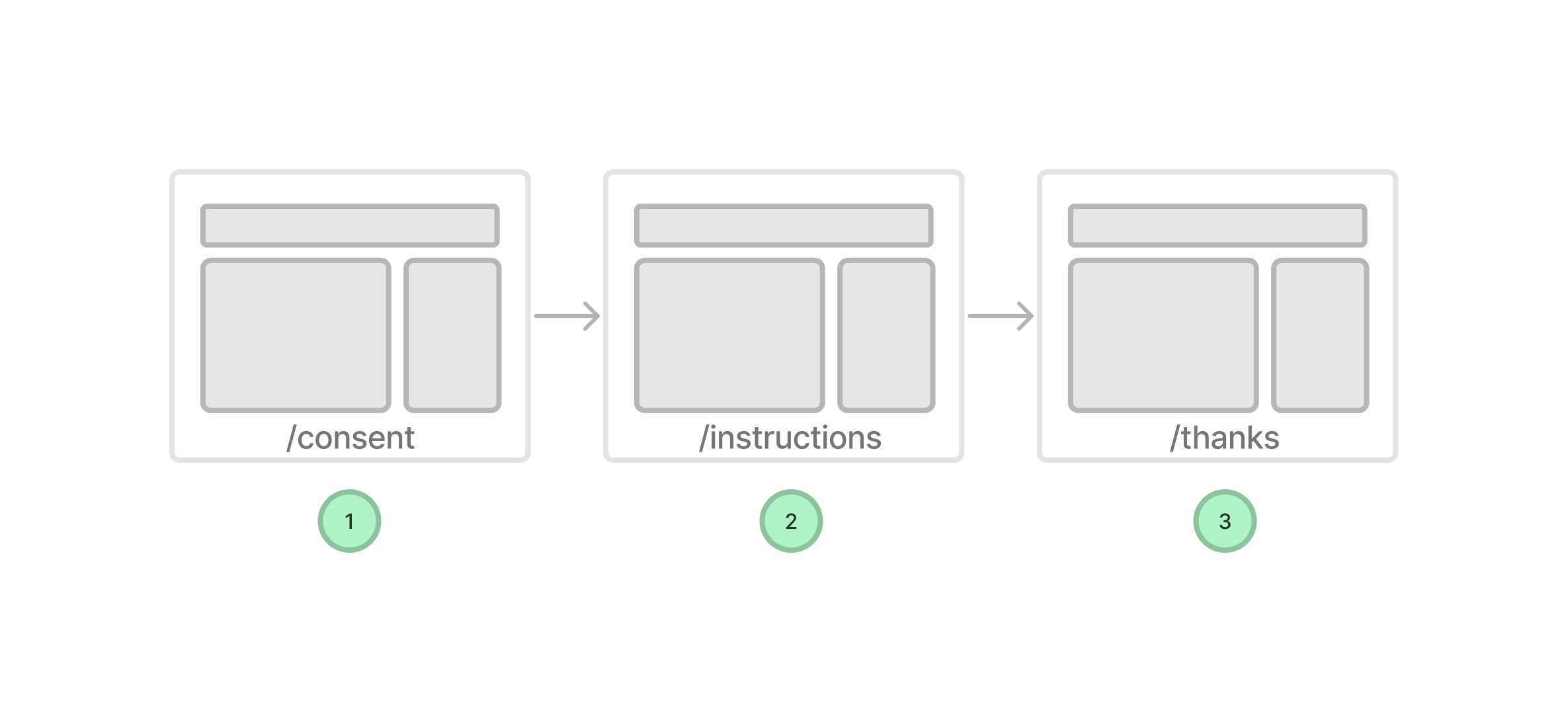
To help make clear the distinction between a View and an ordinary component, consider the following examples:
- A consent form might be one View but be composed of many components (e.g., a consent text component, a signature component, a submit button component, etc.).
- A welcome page might be one View but be composed of many components (e.g., a welcome text component, a start button component, etc.).
- A block of trials in an experiment might be one View but be composed of many components (e.g., a trial component, a fixation component, a feedback component, etc.).
Each View is associated with one Vue component that is responsible for rendering the content of that View. A View can, of course, be made up of many smaller components. By convention, the filename of any component that is treated as a View should end in View.vue, for example, WelcomeView.vue, ConsentView.vue, etc.
Views are a useful way of thinking about bigger parts or phases of an experiment. Views tend to be modular and reusable "sections" of an experiment that you might use in different experiments or different parts of the same experiment. The sequencing of different Views is controlled by the Timeline (and more specifically design.js).
ViewAPI
Smile provides a custom API for Views called the ViewAPI. This API is available in the <script setup> section of your View component. It is accessed via the useViewAPI composable.
<script setup>
// useViewAPI is auto-imported by @nyuccl/smile-nuxt — no import needed
const api = useViewAPI()
</script>
The ViewAPI is fully documented in the API section. It provides a very large number of methods for controlling Smile applications. However, perhaps the most important are the methods which help navigate between views.
api.goNextView(resetScroll = true): Advances to the next View in the timeline. TheresetScrollparameter controls whether to automatically scroll to the top of the page after navigation (The scroll behavior targets the.device-containerelement, which is the main content wrapper in Smile applications.)api.goPrevView(resetScroll = true): Returns to the previous View in the timeline. TheresetScrollparameter controls whether to automatically scroll to the top of the page after navigation.api.goToView(view, force = true, resetScroll = true): Navigates to a specific View (by name). Theforceparameter temporarily disables navigation guards. TheresetScrollparameter controls whether to automatically scroll to the top of the page after navigation.api.hasNextView(): Checks if there's a next View available.api.hasPrevView(): Checks if there's a previous View available.api.nextView(): Returns the next view object in the navigation sequence.api.prevView(): Returns the previous view object in the navigation sequence.
There is more information on view navigation in the timeline section. One important point is that goNextView(), goPrevView(), and goToView() also automatically call saveData() on the global store prior to View changes. So as a result, you can trust that your data will be saved/synchronized with the persistent store (Turso/libsql, see Data Storage) whenever you navigate between Views.
Persisting data for the view
The ViewAPI object provides a .persist object that can be used to persist data for the view. This data is stored in the browser's local storage and is available even after the page is reloaded.
api.persist.myVar = 'value'This variable will now be available in the View even after the page is reloaded. It is also visible in the developer tools side panel.
This can be used to track persistent variables like accuracy/score, etc... in a view that is not tied to a particular step of a view:
// if hits not defined yet then initialize it and timer.
if (!api.persist.isDefined('hits')) {
  api.persist.hits = 0
  api.persist.attempts = 0
  api.persist.finalScore = 0
}
Timing functions in a view
The ViewAPI provides several timing functions that allow you to track elapsed time during experiments. These functions are useful for measuring response times, task duration, and other time-based metrics.
Basic Timing Functions
The timing functions use persisted variables to store timestamps, so they work across browser reloads and view navigation:
api.startTimer(name): Starts a named timer by storing the current timestampapi.isTimerStarted(name): Checks if a named timer has been startedapi.elapsedTime(name): Gets elapsed time in milliseconds since timer startedapi.elapsedTimeInSeconds(name): Gets elapsed time in seconds since timer startedapi.elapsedTimeInMinutes(name): Gets elapsed time in minutes since timer started
Example Usage
// Start a timer when the view loads
api.startTimer()

// Later, check elapsed time
const seconds = api.elapsedTimeInSeconds()
console.log(`Task has been running for ${seconds} seconds`)

// Check if timer exists before starting
// This starts a timer if it doesn't already
// exit meaning it records from the first page load rather than the most recent
// page load
if (!api.isTimerStarted()) {
  api.startTimer()
}
Timer Names
By default, timers use the name 'default' if no name is provided. You can use any string as a timer name to track different events:
// Start multiple named timers
api.startTimer('experimentStart')
api.startTimer('currentBlock')
api.startTimer('currentTrial')

// Check specific timers
const experimentTime = api.elapsedTimeInMinutes('experimentStart')
const blockTime = api.elapsedTimeInSeconds('currentBlock')
Timer data is stored in the persisted variables system, so timers will continue running even if the participant navigates between views or reloads the page. This makes them ideal for tracking overall experiment duration and other long-running measurements.
Designing and Styling Views
In addition to the ViewAPI, Smile provides a number of tools for designing and styling Views. These are described in the styling section. The most important of these is the basic UI components and layouts which can be used to design and style your Views. This can save you a lot of time when developing tasks and help improve the consistency of the design.
Built-in Views
Smile ships a catalog of ready-made Views — consent, instructions, demographics, debrief, and more — that you reference by string name in design.js. They have their own reference page: Built-in Views.